Available Integrations
Connect your innovation ecosystem. Gohorto is built to fit your existing workflow—not replace every tool you already trust. Use native OAuth connectors for calendar, video, and marketing tools; plug in LMS and payment partners; or extend the platform with REST APIs and webhooks for custom automation.
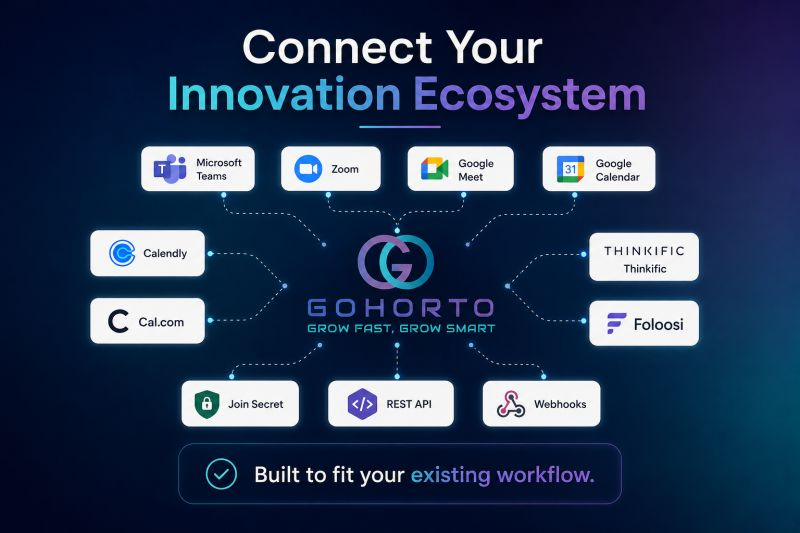
Built to fit your existing workflow
Most integrations are configured per tenant from the Profile → Integrations area. Administrators can enable platform-wide connectors during implementation.
Integration Overview
| Category | Integrations | Connection type |
|---|---|---|
| Video conferencing | Microsoft Teams, Zoom, Google Meet | OAuth |
| Scheduling & calendar | Google Calendar, Calendly, Cal.com | OAuth / embed |
| Learning | Thinkific, Moodle, Canvas (via API) | OAuth / API |
| Payments | Foloosi, Stripe | API / gateway |
| Startup perks | Join Secret | Marketplace / partner |
| Developer platform | REST API, Webhooks | API keys / HTTPS callbacks |
| Productivity & identity | Google (Login, Drive), Slack, GitHub, Facebook | OAuth |
| Marketing & analytics | Mailchimp, Google Analytics | OAuth / API |
For technical setup of APIs and authentication, see API Overview and Authentication and Access Tokens.
Video Conferencing & Communication
Keep mentorship sessions, workshops, and demo days on the tools your ecosystem already uses. Gohorto can auto-generate meeting links and attach them to appointments and events.
Microsoft Teams
| Use cases | Mentor sessions, group coaching, virtual demo days, corporate innovation workshops |
| What syncs | Meeting links on booked appointments; optional Teams-based notifications for program staff |
| Who connects | Mentors, coaches, and administrators from their profile |
| Setup | Connect via OAuth from Profile → Integrations; grant calendar and online-meeting permissions |
Zoom
| Use cases | One-on-one mentorship, office hours, cohort kickoffs, investor pitch sessions |
| What syncs | Auto-created Zoom meetings for appointments and events; meeting URLs surfaced to founders and mentors |
| Who connects | Individual members (mentors/experts) or tenant-level configuration |
| Setup | OAuth connection with refresh-token handling—users stay connected without repeated logins |
Proven in production
Zoom integration is used across live deployments for mentor availability, auto-generated session links, and SMS/email reminders.
Google Meet
| Use cases | Lightweight video for mentorship when your organization standardizes on Google Workspace |
| What syncs | Meet links generated alongside Google Calendar appointments |
| Who connects | Users with Google Workspace accounts |
| Setup | Part of the Google OAuth adapter (Calendar + Meet scopes) |
Scheduling & Calendar
Reduce scheduling friction between founders and mentors. Gohorto supports both in-platform availability rules and external scheduling tools.
Google Calendar
| Use cases | Two-way sync for mentor availability, appointment booking, and event calendars |
| What syncs | Availability windows, booked sessions, event invitations |
| Connection type | OAuth (Google adapter with calendar scopes) |
| Benefits | Mentors publish availability once; founders book in one click; fewer no-shows with automated reminders |
Calendly
| Use cases | External demo booking, expert office hours, partner onboarding calls |
| What syncs | Embed Calendly on public or authenticated pages; demo and discovery scheduling |
| Connection type | Embed / link (tenant-configured meeting URL) |
| Benefits | Familiar scheduling UX for prospects and ecosystem partners |
Cal.com
| Use cases | Open-source-friendly scheduling for mentors, program staff, and demo requests |
| What syncs | Booking pages linked from program portals and marketing surfaces |
| Connection type | Embed / link |
| Benefits | Self-hosted or cloud Cal.com instances fit privacy-sensitive deployments |
Learning & Training (LMS)
Deliver structured curricula inside your program while optionally connecting to dedicated course platforms.
Thinkific
| Use cases | Cohort-based courses, founder bootcamps, certification tracks |
| What syncs | Course enrollment, progress, and completion status (tenant configuration) |
| Connection type | Partner / API integration |
| Benefits | Rich course authoring outside Gohorto with progress visible in the trainee dashboard |
Other LMS options
Gohorto also supports integration patterns for Moodle, Canvas, Blackboard, and custom LMS instances via API. See LMS Integration for mapping courses, enrollments, and certificates.
In-platform training — Assignments, learning materials, certificates, and trainee dashboards are available natively without an external LMS. External LMS connectors are ideal when you already host content elsewhere.
Payments & Financial
Foloosi
| Use cases | Program fees, paid workshops, marketplace transactions in MENA markets |
| What syncs | Payment collection for services and program-related charges |
| Connection type | Payment gateway integration |
| Benefits | Regional payment support aligned with Gulf and MENA ecosystem partners |
Stripe
| Use cases | Subscription billing, marketplace payments, international cards |
| What syncs | Checkout sessions, subscription lifecycle (platform SaaS layer) |
| Connection type | API + webhooks |
| Benefits | Enterprise-grade billing for multi-tenant SaaS deployments |
Startup Perks & Marketplace
Join Secret
| Use cases | Surface startup perks, software deals, and partner offers inside the founder journey |
| What syncs | Curated deals and discount programs via marketplace and partner listings |
| Connection type | Marketplace / partner integration |
| Benefits | Tangible value for founders beyond mentorship—strengthens retention and NPS |
The Gohorto Services Marketplace also includes vetted partners (incorporation, fundraising, design, sales tools, and more). See Marketplace Overview.
Developer Platform
Extend Gohorto into your data warehouse, CRM, or custom portals.
REST API
| Base URL | https://api.gohorto.com/v1/ |
| Authentication | API keys or OAuth tokens (tenant-scoped) |
| Common operations | Users, applications, programs, cohorts, reporting exports |
| Documentation | API Overview · API Endpoints |
Webhooks
| Use cases | Push application status changes, enrollment events, or milestone updates to external systems |
| Delivery | HTTPS POST to your endpoint with signed payloads (tenant configuration) |
| Examples | Sync new applicants to CRM; trigger Slack notifications; update BI dashboards |
See Integration Examples for end-to-end patterns.
Additional Native Connectors
These integrations are implemented in the platform's third-party integration service and available from member or admin profiles.
Identity & productivity
| Integration | Purpose |
|---|---|
| Google Login | Single sign-on for any role |
| Google Drive | Attach Drive files to projects and tasks |
| Facebook Login | Social SSO for community members |
| GitHub | Developer identity and repository linkage for tech startups |
| Slack | Workspace notifications from platform events |
Marketing & analytics
| Integration | Purpose |
|---|---|
| Mailchimp | Lists, audiences, campaigns, and reporting from the admin console |
| Google Analytics | Pull web analytics into admin dashboards |
CRM & funding (via API)
| Integration | Purpose |
|---|---|
| Salesforce, HubSpot, Dynamics | Sync contacts and program interactions — see CRM Integration |
| Dealum and funding platforms | Share startup data and track funding status — see Funding Platforms |
Integration Architecture
flowchart TB
    subgraph Gohorto["Gohorto Platform"]
        CORE[Core Program OS]
        API[REST API]
        WH[Webhooks]
    end

    subgraph Connect["Native OAuth Connectors"]
        CAL[Google Calendar / Meet]
        ZOOM[Zoom]
        TEAMS[Microsoft Teams]
        SLACK[Slack]
        MC[Mailchimp]
    end

    subgraph Extend["Partner & Custom"]
        THINK[Thinkific]
        PAY[Foloosi / Stripe]
        CRM[CRM via API]
        LMS[External LMS]
    end

    CORE --> CAL
    CORE --> ZOOM
    CORE --> TEAMS
    CORE --> SLACK
    CORE --> MC
    API --> CRM
    API --> LMS
    WH --> CRM
    CORE --> THINK
    CORE --> PAY
Design principles:
- Tenant-safe — Integration data respects multi-tenant boundaries; no cross-tenant leakage.
- Refresh tokens — OAuth connections use refresh-token handling so users stay connected.
- Profile-level control — Members connect personal calendar/video accounts; admins configure tenant-wide services.
- API-first — When a native connector does not exist, use the REST API or professional services for custom adapters.
Setup by Role
Program administrators
- Enable allowed integrations in System Settings (tenant scope).
- Configure default video provider for appointments and events.
- Set up Mailchimp or analytics if marketing reporting is required.
- Request API credentials for custom integrations.
Mentors & experts
- Open Profile → Integrations.
- Connect Google Calendar, Zoom, or Teams.
- Publish availability—booked sessions inherit meeting links automatically.
Founders & trainees
- Connect calendar or video tools when prompted for session booking.
- Access Thinkific or in-platform learning from the trainee dashboard.
- Browse marketplace perks including Join Secret offers.
Developers
- Obtain API credentials from your tenant administrator.
- Review Authentication and API Endpoints.
- Register webhook endpoints and validate signatures in staging first.
Professional Services
Need a bespoke connector or migration from a legacy tool?
| Service | Description |
|---|---|
| Integrations & Automation | Custom API workflows, webhook design, CRM/LMS mapping |
| Implementation & Onboarding | Tenant setup including calendar and video configuration |
| Data Migration | Import historical data from spreadsheets or prior platforms |
Frequently Asked Questions
Can we use multiple video providers at once?
Yes. Different mentors can connect Zoom, Google Meet, or Teams individually. Administrators can set a tenant default while allowing member-level overrides.
Do integrations work in white-label deployments?
Yes. OAuth redirect URLs and API keys are scoped per tenant. White-label domains are supported—coordinate with Gohorto during implementation.
Is there a sandbox for API testing?
API access is provisioned per tenant. Contact your administrator or support for staging credentials and rate-limit guidance.
What if our tool is not listed?
Use the REST API and webhooks for most custom cases. Our professional services team can deliver certified connectors for enterprise contracts.
Related Documentation
- Integrations & API Platform — platform-level integration strategy
- API Overview — developer getting started
- CRM Integration — Salesforce, HubSpot, Dynamics
- LMS Integration — Moodle, Canvas, Blackboard
- Funding Platforms — deal-flow and investor tools
- Integration Examples — sample workflows
Integration availability may vary by subscription tier and tenant configuration. Contact Gohorto support or your customer success manager to confirm connectors for your deployment.